Using QuickBooks in the UAE? Here’s How Tax Star Connects It to E-Invoicing
Date Posted:Tue, 14th Jul 2026

If your business uses QuickBooks Online for accounting and invoicing, you may be asking a simple question: will you need to replace it for UAE e-invoicing?
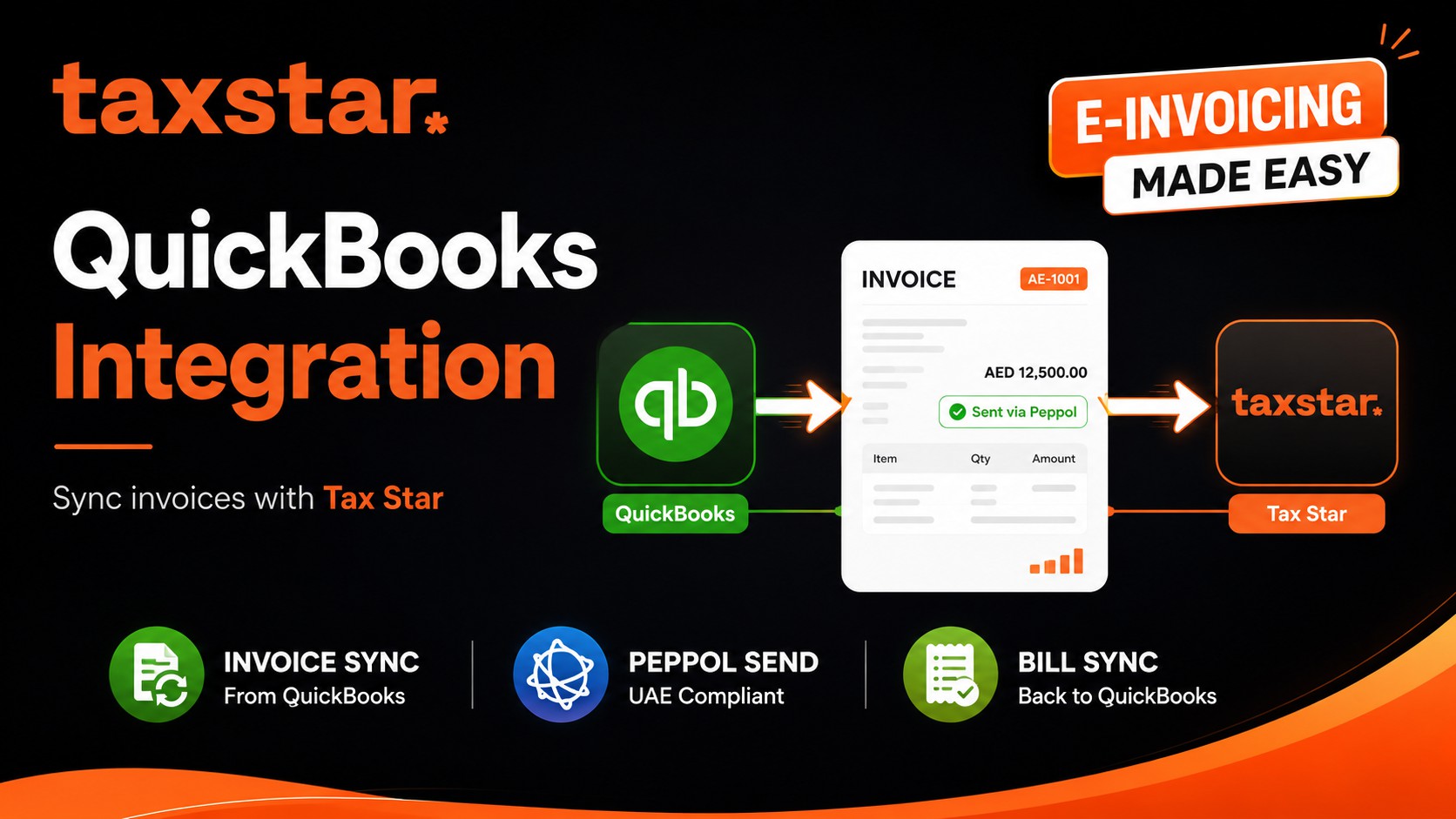
No. Your finance team can keep creating invoices in QuickBooks.
The gap sits after the invoice is created. QuickBooks Online does not currently manage the full UAE e-invoicing process on its own. Invoice data still needs to be checked, mapped to the UAE PINT-AE structure, exchanged through the Peppol network, and tracked through exchange and tax reporting.
Tax Star’s QuickBooks integration connects these steps. It lets businesses retain their existing QuickBooks accounting process and use Tax Star for the e-invoicing tasks that sit outside it.
This article explains how the integration works, what happens to invoice data, and what QuickBooks users should start checking before mandatory UAE e-invoicing applies.
What Is UAE E-Invoicing?
UAE e-invoicing is the electronic exchange of invoice and credit note data in a structured format that systems can process automatically.
It is different from creating a PDF invoice and sending it by email.
Under the UAE framework, e-invoices are exchanged in XML format and follow the PINT-AE specifications.
Under the UAE five-corner model, the e-invoice is exchanged between the supplier and buyer through their service providers. The required tax data is reported to the FTA as part of the same flow.
A standard QuickBooks PDF may still look like a complete invoice, but it does not complete this structured exchange and reporting process.
Does QuickBooks Online Handle UAE E-Invoicing?
QuickBooks Online remains the place where many businesses create invoices, record transactions, manage customer information, and maintain their accounts.
It does not currently manage every step required under the UAE e-invoicing framework directly.
QuickBooks invoice data still needs to be:
- checked for missing or incorrect fields
- mapped to the UAE PINT-AE structure
- prepared for structured XML exchange
- transmitted through the Peppol network
- tracked through exchange and tax reporting
- reviewed when validation errors or confirmation messages are returned
- Tax Star connects QuickBooks invoice records with these e-invoicing steps, reducing the need to enter the same information into another platform.
How the Tax Star QuickBooks Integration Works
The integration connects invoices created in QuickBooks with Tax Star’s UAE e-invoicing platform.
Here is how the process works.
1. Create Your Invoice in QuickBooks
Your finance team continues creating invoices through its current QuickBooks process.
Customer information, invoice lines, VAT treatment, totals, payment terms, and other details remain recorded in QuickBooks. Your team does not need to move its daily accounting work into a new accounting platform.
2. Connect the Invoice Data with Tax Star
Tax Star receives the relevant invoice records from QuickBooks.
This reduces repeated data entry and gives the finance team one connected process instead of copying invoice information between separate systems.
The Ministry of Finance includes accounting-system compatibility, API options, data formats, and integration support among the points businesses should review when selecting an e-invoicing service provider.
3. Check the Required Invoice Fields
Tax Star checks the invoice information before exchange.
These checks can cover:
- seller name and address
- buyer name and address
- TRN and TIN details
- invoice date and number
- invoice totals
- VAT rates and amounts
- invoice lines
- item names and descriptions
- quantities and units of measure
- payment information
The UAE mandatory-field requirements cover invoice details, seller and buyer information, document totals, tax breakdowns, payment data, and line-level information.
When information is missing or incorrect, Tax Star flags the issue so the source data can be corrected before the invoice is exchanged.
4. Map the Data to PINT-AE
Tax Star maps the QuickBooks invoice data to PINT-AE.
PINT-AE is the UAE specification used for structured electronic invoices and electronic credit notes under the Peppol framework.
This process places each piece of QuickBooks invoice information into the correct UAE e-invoice field. The result is structured invoice data that can pass through the required validation, exchange, and tax-reporting flow.
5. Exchange the E-Invoice Through Peppol
Once the invoice data has been checked and mapped, Tax Star manages the structured e-invoice exchange through the UAE Peppol framework.
The supplier sends its invoice data to its service provider. The service provider checks the data and converts it into the required UAE XML structure where needed.
The e-invoice then moves to the buyer’s service provider for delivery to the buyer. The required tax data is reported to the FTA as part of the flow.
6. Track Exchange and Reporting Statuses
Finance teams need visibility over what happens after an invoice enters the e-invoicing flow.
Tax Star lets users track invoice exchange and reporting statuses, including validation errors and returned confirmation messages.
Where a record needs attention, the finance team can review the status update, correct the source information, and follow the required process based on the stage reached by the invoice.
Watch the QuickBooks Integration in Action
See how QuickBooks invoice data moves into Tax Star for field checks, PINT-AE mapping, Peppol exchange and status tracking.
Watch the QuickBooks e-invoicing demo
Why a QuickBooks PDF Is Not a UAE E-Invoice
Many businesses already create digital invoices in QuickBooks. They download them as PDFs and send them to customers by email.
That is digital invoicing, but it is not the same as structured UAE e-invoicing.
A QuickBooks PDF:
- is not structured XML data
- does not follow the PINT-AE invoice structure
- cannot move through the Peppol network as the required e-invoice
- does not complete the UAE exchange and tax-reporting process
A UAE e-invoice:
- uses a structured XML format
- follows PINT-AE
- moves through the Peppol network
- supports automatic validation and processing
- forms part of the UAE exchange and tax-reporting flow
The Ministry of Finance guidelines state that electronic invoices are issued, transmitted, and received in XML format.
During the phased rollout, a buyer that has not joined the e-invoicing system may still need a regular invoice, such as a PDF, alongside the structured e-invoice. The supplier’s e-invoicing duty still applies once its own mandatory implementation date starts.
What Are the Main Benefits for QuickBooks Users?
Keep Your Current Accounting Process
Your team can continue using QuickBooks Online for invoice creation and accounting records.
Tax Star connects those records with the UAE e-invoicing process instead of asking the business to replace its current accounting platform.
Reduce Repeated Data Entry
The integration connects invoice records between QuickBooks and Tax Star.
This reduces the need to copy the same customer, invoice, VAT, and payment information into another system.
Catch Data Gaps Earlier
Missing customer details, incorrect identifiers, incomplete addresses, or weak item descriptions can cause validation issues.
Tax Star checks invoice information before exchange, giving the finance team time to correct the source data.
Track Invoice Progress in One Place
Teams can review sent invoices, status updates, and records that need attention.
This gives finance teams clearer visibility over invoice exchange and tax reporting.
Manage Several Companies
Tax Star supports multiple-company management.
Accounting firms and groups can manage e-invoicing records across several UAE entities from one Tax Star account.
Who Is the QuickBooks Integration For?
The integration can support:
- UAE businesses using QuickBooks Online
- finance teams managing B2B invoices
- businesses supplying government entities
- accounting firms managing several QuickBooks clients
- groups with more than one UAE company
- businesses preparing for the UAE e-invoicing rollout
- teams that plan to keep QuickBooks as their accounting platform
The UAE framework covers B2B, B2G, G2B, and G2G transactions, subject to the published scope and exclusions. Consumer transactions are currently outside the mandatory e-invoicing system.
What Should QuickBooks Users Check Now?
Connecting QuickBooks with an e-invoicing platform does not correct weak source data automatically.
The information recorded in QuickBooks still needs to be complete and accurate.
Finance teams should review the following areas.
Customer Records
Check customer legal names, addresses, TRNs, TINs, country details, and electronic identifiers where applicable.
Company Records
Confirm that each UAE entity has the correct legal name, trade licence information, registered address, TRN, and TIN.
Products and Services
Review item names, descriptions, prices, quantities, units of measure, and VAT treatment.
VAT Codes
Check that VAT rates and tax categories are applied consistently across invoices.
Payment Information
Review payment methods, payment due dates, account details, and payment terms.
Credit-Note Processes
Review how credit notes are created in QuickBooks and agree how they will move into Tax Star as part of the integration setup.
Multiple Entities
Identify every UAE company using QuickBooks and confirm which QuickBooks company belongs to each legal entity.
Fixing these points before testing gives the team more time to deal with missing fields and mapping issues.
UAE E-Invoicing Dates QuickBooks Users Should Know
The UAE Pilot Programme and voluntary implementation began on 1 July 2026.
Businesses with annual revenue of AED 50 million or more must appoint an ASP by 30 October 2026 and implement the system by 1 January 2027.
Businesses with revenue below AED 50 million must appoint an ASP by 31 March 2027 and implement the system by 1 July 2027.
Government entities must appoint an ASP by 31 March 2027 and implement e-invoicing by 1 October 2027.
These dates make system checks, provider selection, data review, integration, and testing current finance priorities rather than work to leave until go-live.
About Tax Star
Tax Star is a UAE-based tax and compliance software company listed by the UAE Ministry of Finance as a pre-approved e-invoicing service provider.
Its QuickBooks integration connects invoice records with invoice-field checks, PINT-AE mapping, Peppol exchange, error review, and status tracking.
Businesses can learn more on the Tax Star QuickBooks e-invoicing integration page.
Events Calendar
Upcoming Events

BCCD Breakfast Networking
Wed, 21st Oct 2026
Reform Social & Grill
Kickstart your morning with valuable connections & conversations. This casual yet engaging... Read more

Quick Connect: Meet, Greet, Repeat!
Thu, 22nd Oct 2026
Pronto, Fairmont Dubai
Join us for an exciting evening of speed networking that’s all about making new connecti... Read more

Breast Cancer Awareness Morning
Tue, 27th Oct 2026
SEE Institute
October is Breast Cancer Awareness Month, a time to bring a difficult subject into the ope... Read more


